⚡ Quick Answer
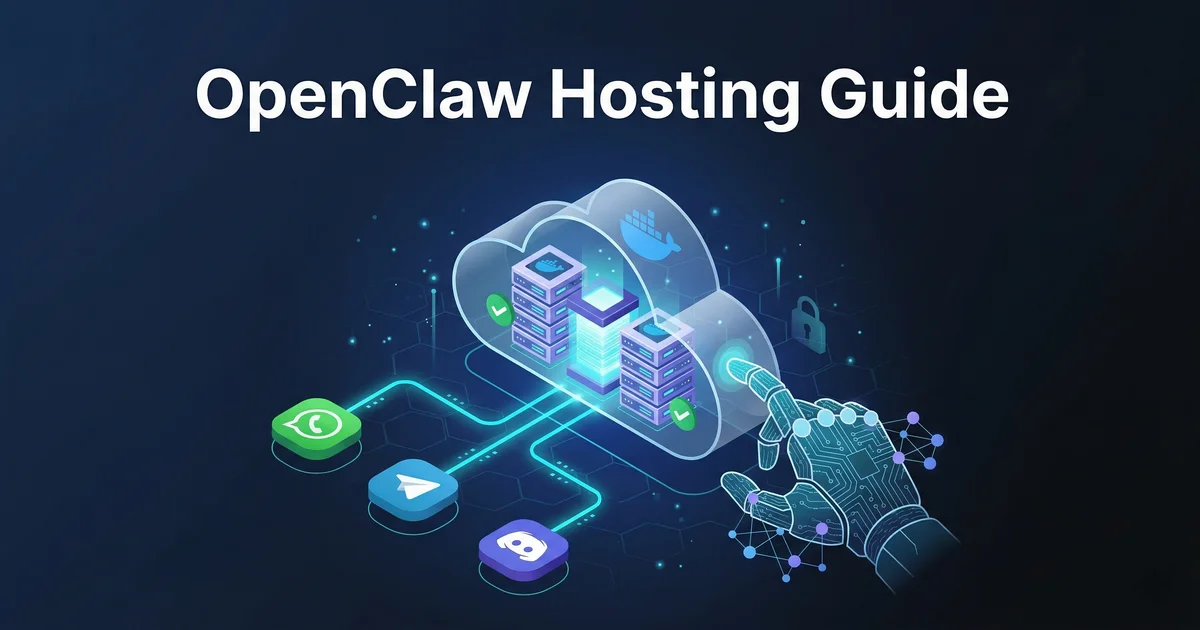
OpenClaw Hosting is a cloud-based infrastructure platform that enables anyone to deploy Clawdbot autonomous AI agents in under 60 seconds. With BYOK (Bring Your Own Key) architecture, AES-256-GCM encryption, and dedicated Docker containers, OpenClaw provides secure, scalable hosting for AI agents across WhatsApp, Telegram, Discord, and 22+ communication channels without requiring server management or coding expertise.What is OpenClaw Hosting?
OpenClaw Hosting is the cloud infrastructure backbone that powers Clawdbot autonomous AI agents. Unlike traditional hosting solutions that require manual server setup, security configuration, and ongoing maintenance, OpenClaw provides a fully managed platform purpose-built for AI agent deployment. The platform combines three critical components:🏗️ Infrastructure Layer
Dedicated VPS with isolated Docker containers, ensuring each user's agent runs in complete separation from others. Includes 4-6 vCPU, 8-12GB RAM, and 75-100GB NVMe storage depending on plan.🔐 Security Layer
Enterprise-grade AES-256-GCM encryption, network isolation with iptables firewall rules, and automatic memory scrubbing to protect API keys and sensitive data.🔗 Connectivity Layer
Pre-built integrations for 22+ messaging platforms including WhatsApp, Telegram, Discord, Slack, and Microsoft Teams with persistent memory across all channels."OpenClaw eliminates the complexity of AI agent infrastructure so you can focus on what matters: building intelligent automation that works."Whether you're a solo creator, small business, or enterprise team, OpenClaw scales with your needs while maintaining consistent performance and security standards.
Why Cloud Hosting for AI Agents?
Running AI agents requires fundamentally different infrastructure than traditional applications. Here's why cloud hosting through OpenClaw is essential:1. 24/7 Uptime Requirements
AI agents must be available around the clock to respond to messages, execute automations, and process requests. Self-hosted solutions face challenges with:- Power outages and internet disruptions
- Hardware failures without automatic recovery
- Manual restart requirements after crashes
- Time zone limitations for maintenance
2. Resource-Intensive Operations
AI agents consume significant computational resources:- Continuous API connections to LLM providers
- Real-time message processing across channels
- Vector database operations for semantic search
- Browser automation for web interactions
- File processing and content generation
3. Security Complexity
Protecting API keys and user data requires enterprise-level security:- Encryption at rest and in transit
- Network isolation between users
- Audit logging for compliance
- Regular security updates and patches
4. Multi-Channel Synchronization
Modern AI agents work across multiple platforms simultaneously. OpenClaw maintains:-
- Persistent memory across all channels
- Unified conversation history
- Cross-platform context awareness
| Factor | Self-Hosted | OpenClaw Cloud |
|---|---|---|
| Setup Time | Hours to days | 60 seconds |
| Uptime Guarantee | None | 99.9% |
| Security | Your responsibility | Enterprise-grade included |
| Scaling | Manual hardware upgrades | Instant plan upgrades |
| Support | Community forums | Priority 24/7 (Pro plan) |
| Monthly Cost | $50-200+ (infrastructure + time) | $19-49 (all-inclusive) |
Prerequisites Before Deployment
Before deploying Clawdbot on OpenClaw, gather these requirements:1. AI Provider API Key
You'll need an active API key from at least one AI provider:- OpenAI: GPT-4o, GPT-4, GPT-3.5 (visit platform.openai.com)
- Anthropic: Claude 3.5, Claude 3 (visit console.anthropic.com)
- Google: Gemini 2.5 Pro, Gemini 2.0 Flash (visit aistudio.google.com)
- xAI: Grok models (visit x.ai)
- Mistral: Mistral Large, Mixtral (visit console.mistral.ai)
- Groq: Fast inference models (visit console.groq.com)
2. Messaging Platform Accounts
For channel connections, you'll need:- WhatsApp: Active phone number for QR code scanning
- Telegram: Account to create bot via @BotFather
- Discord: Server with permission to add bots
3. Payment Method
OpenClaw accepts major credit cards and supports:- Monthly billing ($19-49/month)
- Annual billing ($190-490/year, save 17%)
- No long-term contracts
- Cancel anytime
4. Agent Configuration Plan
Before deployment, consider:- What persona should your agent have?
- What tasks will it automate?
- What knowledge documents should it access?
- Which channels are priority?
Step-by-Step Deployment Guide
Follow this complete walkthrough to deploy Clawdbot on OpenClaw:
1
Create Your OpenClaw Account
Visit Clawr.co and click "Get Started". Enter your email and create a secure password. Verify your email address through the confirmation link. Time: 2 minutes
2
Select Your Hosting Plan
Choose between Starter ($19/mo) for single-channel deployment or Pro ($49/mo) for omnichannel support. Annual plans save 17%. No credit card required for initial setup. Time: 1 minute
3
Configure Your API Key
Navigate to Settings → API Keys. Paste your API key from OpenAI, Anthropic, Google, or other providers. The key is immediately encrypted with AES-256-GCM and stored securely. Security Note: Your key is never visible again after saving. It's decrypted only inside your isolated container at runtime. Time: 1 minute
4
Define Agent Persona
In the Agent Configuration panel, set:- Name: What users will call your agent
- Persona: Personality, tone, and communication style
- Instructions: Specific behaviors and constraints
- System Prompt: Advanced customization for expert users
5
Upload Knowledge Documents
Upload PDFs, text files, or documents your agent should reference. OpenClaw processes these into vector embeddings for semantic search.- Starter Plan: 5 MB storage
- Pro Plan: 100 MB storage
- Supported formats: PDF, TXT, DOC, DOCX, MD
6
Install Skills from Hub
Browse the Skills Hub and install capabilities your agent needs:-
- Web Search (Brave, Google, Perplexity)
- Browser Automation
- File Management
- Calendar Integration
- Content Generation
7
Deploy Your Agent
Click "Deploy" to spin up your dedicated Docker container. OpenClaw provisions your VPS, configures networking, and launches your agent. Status Indicators:- 🟡 Provisioning (30 seconds)
- 🟡 Container Setup (20 seconds)
- 🟢 Active & Ready (10 seconds)
"From account creation to live agent in under 5 minutes. That's the OpenClaw difference."
Channel Configuration Setup
Connect your AI agent to messaging platforms:WhatsApp Integration
- Navigate to Channels → WhatsApp
- Click "Connect New Number"
- Scan the QR code with your WhatsApp mobile app
- Confirm the connection on your phone
- Test by sending a message to your agent
Telegram Integration
- Navigate to Channels → Telegram
- Message @BotFather on Telegram
- Send /newbot command and follow prompts
- Copy the bot token provided
- Paste token into OpenClaw dashboard
- Click "Activate Bot"
Discord Integration
- Navigate to Channels → Discord
- Click "Create Discord Application" or use existing
- Copy Bot Token from Developer Portal
- Paste token into OpenClaw dashboard
- Use OAuth2 URL to invite bot to your server
- Configure permissions (messages, mentions, DMs)
Additional Channels (Pro Plan)
Pro plan users can connect simultaneously:- Slack (workspace integration)
- Microsoft Teams (organization deployment)
- Twitter/X (DM automation)
- Email (IMAP/SMTP integration)
- Custom webhooks (API endpoints)
- 20+ additional platforms
| Channel | Setup Time | Starter | Pro | Best For |
|---|---|---|---|---|
| 2 minutes | ✓ | ✓ | Customer support, personal assistant | |
| Telegram | 3 minutes | ✓ | ✓ | Communities, groups, broadcasts |
| Discord | 5 minutes | ✓ | ✓ | Gaming, tech communities, servers |
| Slack | 5 minutes | ✗ | ✓ | Business teams, workplace automation |
| Teams | 10 minutes | ✗ | ✓ | Enterprise, corporate environments |
Security Best Practices
OpenClaw provides enterprise-grade security out of the box. Follow these best practices for maximum protection:🔒 API Key Rotation
Rotate your AI provider API keys every 90 days. Update in OpenClaw dashboard → Settings → API Keys. Old keys are automatically invalidated.🛡️ Access Control
Enable two-factor authentication (2FA) on your OpenClaw account. Use strong, unique passwords managed by a password manager.📋 Audit Logs
Review audit logs weekly in Dashboard → Security → Activity Log. Monitor for unusual access patterns or unauthorized changes.🌐 Network Rules
OpenClaw isolates each user's container. For enterprise plans, configure custom IP allowlists for dashboard access.🔐 Data Encryption
All data encrypted with AES-256-GCM at rest. TLS 1.3 for all data in transit. Keys decrypted only in runtime memory.🧹 Memory Management
API keys scrubbed from memory immediately after use. No persistent storage of sensitive credentials.Security Architecture Overview
OpenClaw's security model includes:- Per-User Isolation: Dedicated Docker container per account
- Network Segmentation: Isolated bridge network with iptables
- Encryption Standards: AES-256-GCM for storage, TLS 1.3 for transmission
- Access Logging: Complete audit trail of all actions
- Auto-Recovery: Health monitoring with automatic restart
- Compliance Ready: GDPR, SOC 2, and enterprise compliance support
"Your API key never touches our servers in plain text. It's encrypted at rest and only decrypted inside your isolated container's memory at runtime."
Scaling & Optimization
As your AI agent usage grows, optimize performance with these strategies:1. Monitor Resource Usage
Track metrics in Dashboard → Analytics:- CPU utilization percentage
- Memory consumption (GB)
- Storage usage (MB/GB)
- Message throughput (messages/minute)
- API call volume
- Response latency (milliseconds)
2. Optimize Knowledge Base
Efficient knowledge management improves performance:- Remove outdated documents regularly
- Use concise, well-structured files
- Organize by topic for faster retrieval
- Compress large PDFs before upload
- Use plain text for simple content (smaller footprint)
3. Configure Rate Limiting
Prevent API cost overruns:- Set maximum messages per minute
- Configure daily API spend limits
- Enable usage alerts at 50%, 75%, 90% thresholds
- Implement queue for high-volume periods
4. Upgrade When Needed
Signs it's time to upgrade from Starter to Pro:- Need multiple channels simultaneously
- Memory usage approaching 5 MB limit
- Response times increasing under load
- Require priority support
- Need headless browser capabilities
5. Enable Caching
Reduce API costs and improve speed:- Cache frequent responses
- Store common query results
- Use semantic caching for similar questions
- Configure cache TTL (time-to-live) appropriately
| Metric | Starter Plan | Pro Plan | Optimization Tip |
|---|---|---|---|
| vCPU | 4 cores | 6 cores | Monitor CPU, upgrade if >80% sustained |
| RAM | 8 GB | 12 GB | Watch memory during peak usage |
| Storage | 75 GB NVMe | 100 GB NVMe | Clean old logs monthly |
| Memory Limit | 5 MB | 100 MB | Compress documents, remove duplicates |
| Browser RAM | Not included | 12 GB | Enable for web automation tasks |
| Support | Email (48hr) | Priority 24/7 | Pro recommended for business-critical |
Common Issues & Troubleshooting
Resolve common deployment issues quickly:Agent Not Responding to Messages
Cause: Container crash, API key invalid, or channel disconnection. Solution:- Check Dashboard → Status for agent health
- Verify API key is valid with provider
- Reconnect channel if disconnected
- Restart agent from dashboard if needed
- Check audit logs for error messages
High API Costs Unexpectedly
Cause: Unoptimized prompts, high message volume, or expensive model selection. Solution:- Review Analytics → API Usage breakdown
- Switch to cost-effective models (GPT-3.5, Claude Haiku)
- Optimize system prompts for brevity
- Enable response caching
- Set daily spend limits and alerts
WhatsApp Connection Lost
Cause: Phone number changed, QR code expired, or WhatsApp policy violation. Solution:- Re-scan QR code in Channels → WhatsApp
- Ensure phone has active internet connection
- Keep WhatsApp app updated
- Avoid spam-like behavior (mass messaging)
- Contact support if issue persists
Slow Response Times
Cause: Large knowledge base, complex queries, or resource constraints. Solution:- Reduce knowledge base size
- Upgrade to Pro plan for more resources
- Enable caching for frequent queries
- Optimize agent instructions for efficiency
- Check network latency to AI provider
Memory Limit Exceeded
Cause: Too many documents uploaded or conversation history growth. Solution:-
- Delete unused knowledge documents
- Compress PDFs before upload
- Upgrade to Pro plan (100 MB vs 5 MB)
- Use external storage for large files
Agent Behavior Inconsistent
Cause: Vague instructions, conflicting system prompts, or model changes. Solution:- Refine persona and instructions
- Add specific examples of desired behavior
- Test with sample conversations
- Lock to specific model version
- Review conversation logs for patterns
Getting Help
If issues persist:- Documentation: Visit docs.clawr.co for detailed guides
- Community: Join Discord community for peer support
- Email Support: [email protected] (48hr response, Starter)
- Priority Support: 24/7 chat (Pro plan)
- Status Page: status.clawr.co for platform health
Pricing & Cost Management
Understand total cost of ownership with OpenClaw:Starter
$19/month
or $190/year (save 17%)
- ✓ 1 AI agent (any provider)
- ✓ 1 channel (WhatsApp/Telegram/Discord)
- ✓ Custom persona & instructions
- ✓ 5 MB persistent memory
- ✓ Web search & fetch
- ✓ 50+ installable skills
- ✓ Cron jobs & automations
- ✓ Dedicated VPS (4 vCPU, 8GB RAM)
- ✓ 75GB NVMe storage
- ✓ Email support (48hr)
Most Popular
Pro
$49/month
or $490/year (save 17%)
- ✓ 1 omnichannel AI agent
- ✓ All channels simultaneously
- ✓ Custom persona & instructions
- ✓ 100 MB persistent memory
- ✓ Web search & fetch
- ✓ 50+ installable skills
- ✓ Priority 24/7 support
- ✓ Enhanced VPS (6 vCPU, 12GB RAM)
- ✓ 100GB NVMe storage
- ✓ Headless browser (12GB RAM)
- ✓ Advanced analytics
Additional Costs to Consider
Beyond OpenClaw subscription, budget for:- AI Provider API Costs: Pay directly to OpenAI, Anthropic, Google, etc.
- Typical Usage: $5-50/month depending on message volume
- WhatsApp Business API: Conversation-based pricing (if using business number)
- Custom Domain: Optional for enterprise branding
Cost Optimization Tips
- Use cost-effective models for simple tasks (GPT-3.5, Claude Haiku)
- Reserve premium models for complex reasoning (GPT-4o, Claude 3.5)
- Enable caching to reduce duplicate API calls
- Set monthly spend alerts with AI providers
- Choose annual billing for 17% savings
- Start with Starter, upgrade as needed
No credit card required to start. Cancel anytime. 99.9% uptime guaranteed.
Frequently Asked Questions
How long does deployment take?
From account creation to live agent: approximately 5 minutes. The actual container deployment takes 60 seconds. Most time is spent on configuration (persona, knowledge, channels).Can I migrate from self-hosted to OpenClaw?
Yes. Export your agent configuration, knowledge documents, and conversation history. Import into OpenClaw dashboard. Support team can assist with migration for Pro plan users.What happens if I exceed my plan limits?
You'll receive warnings at 80% and 95% of limits. Memory overages may slow performance. Contact support to upgrade plan or optimize usage. No automatic overage charges.Is my data backed up?
Yes. OpenClaw performs daily automated backups of agent configuration, knowledge base, and conversation history. Backups retained for 30 days. Export your data anytime from dashboard.Can I use multiple AI providers simultaneously?
Yes. Configure different agents with different providers, or set up fallback chains (e.g., try Claude first, fallback to GPT if unavailable). Pro plan supports advanced routing.What's the uptime guarantee?
99.9% uptime SLA for all plans. Pro plan includes priority recovery and dedicated support. Historical uptime tracked at status.clawr.co.Do you offer enterprise plans?
Yes. Enterprise plans include custom infrastructure, dedicated support, SLA guarantees, compliance certifications (SOC 2, GDPR), and volume pricing. Contact [email protected].Can I white-label the agent?
Pro and Enterprise plans support custom branding, custom domains, and white-label configurations. Contact support for setup assistance.Next Steps
Ready to deploy Clawdbot on OpenClaw cloud hosting?- Visit Clawr.co to create your account
- Choose your hosting plan (Starter or Pro)
- Prepare your API key from AI provider
- Configure your agent persona and knowledge
- Connect your messaging channels
- Deploy and go live in 60 seconds
- Monitor performance from dashboard
- Optimize based on usage analytics